HappyGen
2026
Client-paid AI coaching platform delivered in 4 months
Overview
HappyGen is a client-paid AI coaching platform built around the MO2I method, designed to help coaches run their practice from a web dashboard while clients use native iOS and Android apps for reflection, check-ins, booking, and session reports. The product combines operational workflow tooling with AI-assisted post-session delivery, creating a seamless experience for both coaches and their clients
Delivered over 4 months, the platform automates the heavy lifting after each coaching session: Zoom recordings are transcribed, archived, summarized with AI, reviewed by the coach, and emailed to the client as a polished report. I built the end-to-end system across the web app, mobile APIs, AI workflow orchestration, and integrations with Zoom, Google Drive, Google Docs, Resend, and App Store billing, creating a production-ready coaching product that scales from a single coach setup to a broader SaaS model.
Platforms
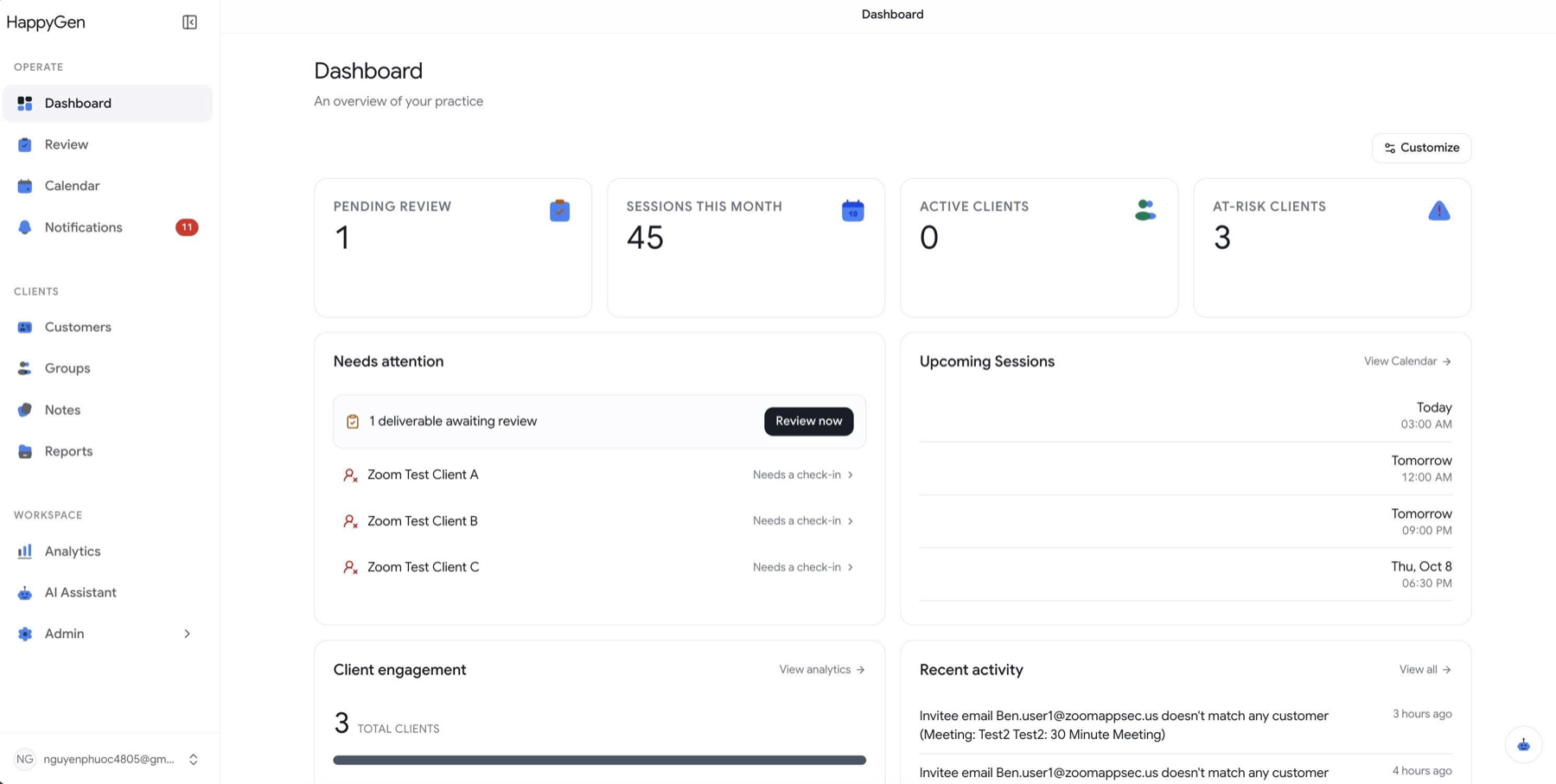
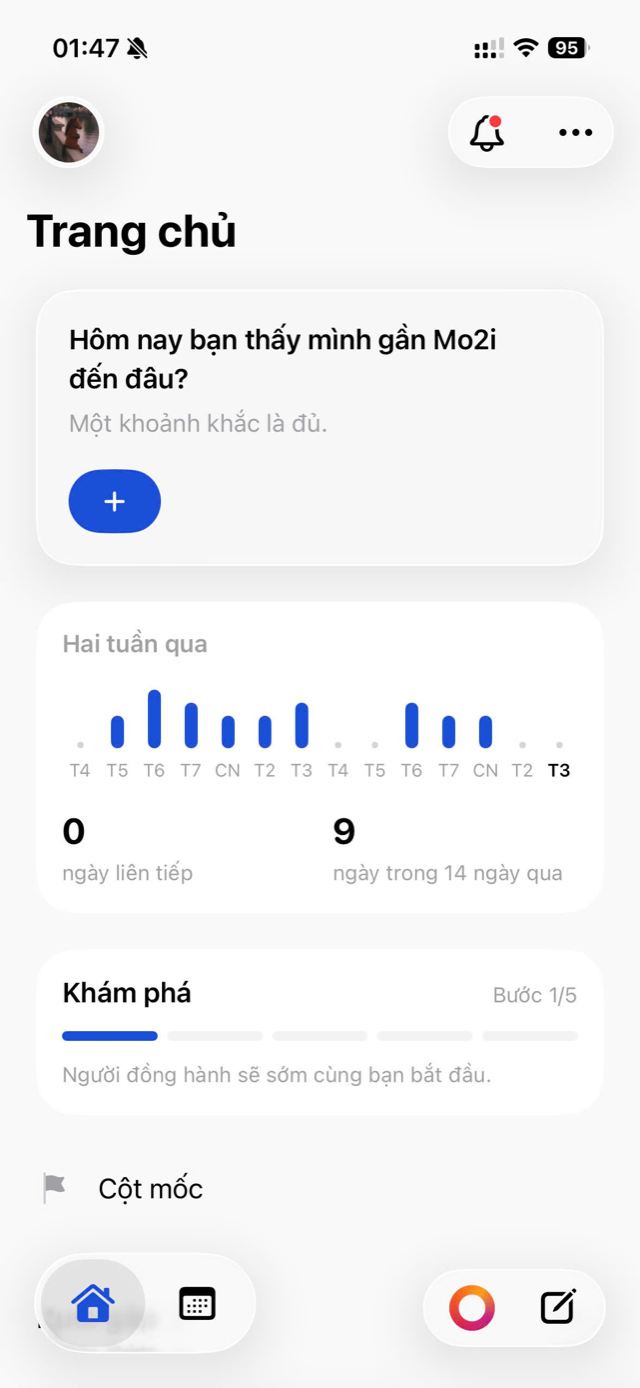
Technically, HappyGen is three apps: the admin site and two mobile apps. I split one legacy React Native codebase into two native codebases, Swift for iOS and Kotlin for Android, because I could hardly achieve a true Liquid Glass UI with React Native. As far as I know, some libraries imitate the effect, but they just don't get it right.
The admin site is the main product. It automates my client's daily workflow, saving her a lot of time and manual work. Before it, she had to download the recording of each meeting, clean the transcript into a .vtt file, upload it to Drive, use an LLM to write a recap document, and send it to her client. Writing a retrospective for her MO2I training practice, and a final summary of each client's journey through MO2I, was just as tedious. My app automates all of it: some steps use an LLM, and the rest are plain code.
The mobile app came later, also at my client's request. Her clients use it as part of their training: they can reflect ("chiêm nghiệm"), see their report from each session, and talk to an AI assistant.
Stack
This is my biggest solo project yet, with the most third-party tools integrated into the system. Some new tools I learned while building it are Inngest, Neon, Zoom, Resend, and Zoho Mail.
Inngest is a very cool tool that I found while searching for durable workflows or jobs that run natively in the system rather than in n8n.
Zoho Mail is an alternative to Google Workspace. All I needed was a company email, and the "Mail Lite" tier offers enough. Google Workspace is kinda costly and not appropriate for my needs.
Resend is simply used to send emails to the end consumers.
Testing
As a QA engineer, I know how much testing matters, especially for real, production-grade apps. That's why I built a meticulous test suite for this repo, following the Test Pyramid. The key GitHub Actions workflows are "[web] E2E", "[QA] regression", "[web] QA Regression (app, non-Inngest)" and "Maestro E2E (native)", and together they keep test coverage at roughly 80%. The tools are mostly Playwright for the web and Maestro for mobile.
Environments
Working on real, production-scale apps that make money taught me that they usually run several environments across the development life cycle, such as QA, UAT, Staging, Support and Production. To make sure a code change never breaks production, I deployed a QA environment where I test my own changes as a solo developer before they reach production.
Notes
For a quick start on the UI, I went straight to getdesign.md for some of its well-known design systems and fed them to my coding agent. Later, I used Claude to generate my own design systems, along with the ui-ux-pro-max skill, giving the mobile app and the web their own theme specs.
While vibe coding, I created many reusable skills to speed up development. For instance, parallel-feature-development spawns several worktrees, each with its own agent working only in that worktree. Another, happygen-ios-convention, is for UI work: I hand it to any session, and the agent knows how to code a new screen. A third, prisma-schema-safety, keeps database changes safe: every schema change goes through a Prisma migration against the shared Neon database, never a quick "db push" that would leave the database out of sync.
Since this is a B2B project, the admin needs to control everything from the UI. That's why about half of the pages, around 20, are for configuration, administration and analytics. Again, this idea comes from my experience at FPT Software.